

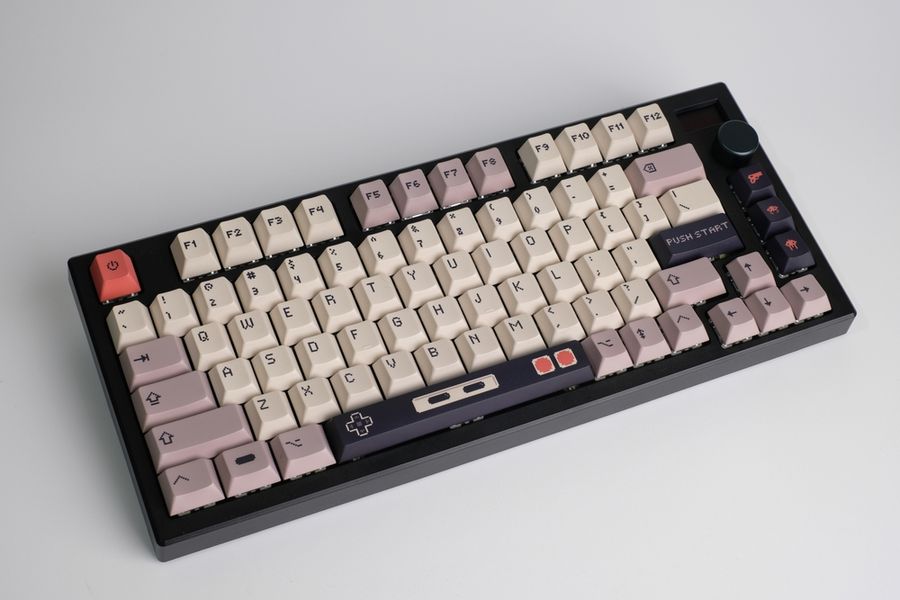
A mechanical keyboard is not automatically more ergonomic than a standard keyboard, but its range of switch types, layouts, and adjustable features can make it easier to build a setup that feels better during long workdays. The biggest advantage is choice: you can select how much resistance, feedback, key travel, and desk space you want. When those choices are paired with sensible workstation positioning, a mechanical keyboard can become a more comfortable tool for hours of typing.
Choose Switch Feel Around Your Typing Style
Mechanical keyboards are available with several switch behaviors, including linear, tactile, and clicky designs. Linear switches move without a pronounced tactile bump, tactile switches provide noticeable feedback, and clicky switches add audible feedback as well. CHERRY, for example, offers all three categories across its MX lineup.
Comfort is personal. Someone who types lightly may prefer a smooth switch with relatively low resistance, while another person may like tactile feedback that makes each keypress more distinct. A switch that feels satisfying for short sessions can become tiring or noisy during a full workday, so testing a few switch types before committing is worthwhile.
Use Keyboard Size to Improve Your Desk Position
Mechanical keyboards come in full-size, tenkeyless, 75%, 65%, and other layouts. A smaller board can free desk space and, for people who rarely use a number pad, may allow the mouse to sit closer. That can help reduce repeated outward reaching during long work sessions.
OSHA recommends placing the keyboard directly in front of the user, keeping the elbows close to the body, and positioning the keyboard and pointing device so they do not require excessive reaching. A compact keyboard is not automatically more comfortable, but it can make that arrangement easier when a number pad pushes the mouse too far aside. If your work depends on numeric entry, a full-size board or separate number pad may be more practical.
Pay Attention to Height and Wrist Angle
Mechanical boards are often taller than slim laptop keyboards, so desk position matters. Avoid assuming that raising the rear feet is always more ergonomic. Depending on your chair and desk height, extra tilt can bend the wrists upward. Instead, adjust the keyboard, chair, or work surface so your wrists stay as straight as practical while your shoulders remain relaxed.
OSHA advises keeping the wrists straight and in line with the forearms and adjusting keyboard height and tilt to maintain a neutral wrist posture. It also notes that keyboard feet should not be used if they increase wrist bending. If a tall board leaves your palms noticeably below the keycaps, a properly sized palm support can help during pauses, but it should complement good positioning rather than compensate for poor placement.
Customize the Board Instead of Tolerating the Wrong Feel
One advantage of many mechanical keyboards is that the typing feel can be changed without replacing the entire device. Hot-swappable models let users remove compatible switches and install different ones without soldering. The Keychron V7, for example, supports hot-swapping both three-pin and five-pin MX-style mechanical switches.
That flexibility can help if your original switches feel too heavy, loud, or sensitive after several weeks. Some programmable boards also let you remap keys or create shortcuts, placing frequently used commands in easier-to-reach positions. Customization should solve a specific annoyance rather than become a requirement; changing only the parts that bother you may be enough.
Think Beyond the Switches
Comfort during a long work session depends on the entire workstation. A well-chosen keyboard cannot fix a desk that is too high, a chair that forces the shoulders upward, or a mouse positioned beyond comfortable reach. Keep the keyboard close enough that you are not leaning forward, and leave enough room for the mouse nearby.
It also helps to change position throughout the day. OSHA’s guidance on neutral body positioning recommends varying posture rather than remaining in the same position for prolonged periods, including standing, walking periodically, and making small adjustments to the chair or backrest. Keyboard feel can improve typing, but movement and workstation arrangement remain important parts of staying comfortable.
Build a Keyboard Setup That Fits You
The strongest reason to consider a mechanical keyboard for work is not that the technology guarantees better ergonomics. It is that mechanical keyboards provide enough variation to tailor the typing experience to your hands, desk, noise tolerance, and daily tasks. Switch resistance, keyboard width, key layout, and case height can all change how the board feels over several hours.
Start with fit before features. Choose a layout that keeps your hands and mouse comfortably positioned, select switches that do not feel tiring, and adjust the keyboard height so your wrists remain neutral. A mechanical keyboard becomes most useful when its customization serves your routine rather than distracting from it. With the right combination of hardware and workstation setup, long typing sessions can feel noticeably easier to manage.