

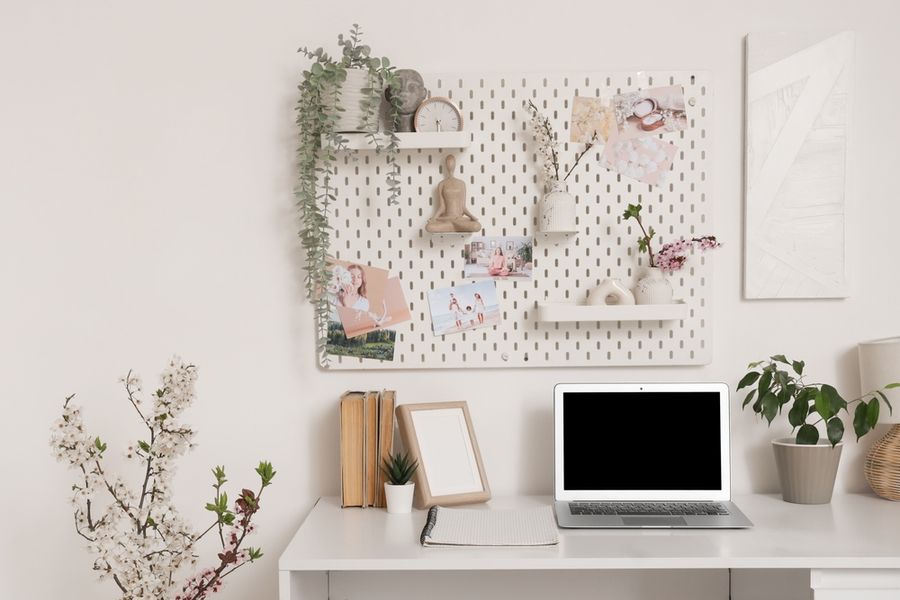
A dedicated office can be difficult to fit into a small apartment or crowded home, but productive work does not necessarily require an entire room. A carefully planned corner, alcove, hallway nook, or section of a bedroom can provide enough space for a practical workstation. The key is choosing furniture and storage around the work you actually perform. With a compact desk, comfortable setup, vertical organization, and thoughtful lighting, even a limited area can function as a useful everyday office.
Start With the Smallest Workspace That Meets Your Needs
Before choosing furniture, identify what must physically fit on the desk. Someone who works primarily from a laptop may need considerably less surface area than someone using two monitors, printed documents, and specialized equipment. Measure the available floor and wall space, then choose the desk around those requirements rather than buying the largest model that technically fits.
Unused areas can often accommodate a workstation with a narrow desk, a chair that tucks underneath, and storage mounted on the wall above. A hallway end, bedroom corner, or space beneath stairs may therefore work without taking over the room. Leave enough clearance to sit and stand comfortably, and avoid allowing the desk to block doors, closets, or frequently used pathways.
Prioritize Comfort Over Decorative Office Furniture
A small office still needs to support several hours of work. Adjust the chair so your feet can rest flat on the floor, or use a footrest when necessary. Keep enough clear space beneath the desk for your legs rather than filling that area with boxes, computer equipment, or other storage. Frequently used items should remain close enough that you do not repeatedly stretch or twist to reach them.
Position the keyboard and mouse so your upper arms can remain close to your body and your wrists stay reasonably straight. A compact desk does not excuse an uncomfortable arrangement. If the work surface cannot accommodate both equipment and a healthy sitting position, reduce the amount of equipment kept permanently on the desk rather than squeezing everything into the available space.
Make a Laptop Setup Work Like a Desktop
Laptops are ideal for small spaces because they take up little room and can be stored when the workday ends. The tradeoff is that the attached screen and keyboard can make it difficult to position both comfortably at the same time. For regular desk use, raising the laptop and adding an external keyboard and mouse can create an arrangement closer to a conventional desktop workstation.
If you use a separate monitor, keep it directly in front of your main working position rather than forcing yourself to turn toward it throughout the day. The top of the screen should generally sit at or slightly below eye level, with the monitor roughly an arm's length away. A monitor arm can also free desk space, provided the wall or desktop can safely support the mounting system.
Use the Wall Instead of Expanding Across the Floor
When floor space is limited, storage should move upward. Floating shelves, wall cabinets, pegboards, and memo boards can hold supplies that would otherwise accumulate on the desk. Keep objects used throughout the day within easy reach and move reference materials, spare supplies, and occasional equipment to higher positions.
Avoid turning every inch of wall into storage. An overloaded arrangement can make a tiny work area feel more cramped and creates more surfaces where clutter can accumulate. One or two shelves above or beside the desk may provide enough room for notebooks, document boxes, or equipment without visually enclosing the workstation. Keep heavier items on properly supported shelves and follow the mounting hardware's weight limits.
Control Paper and Cable Clutter Early
Small desks become disorganized quickly because there is little spare surface area. Give incoming papers a specific destination instead of creating a stack beside the computer. A wall-mounted file holder, slim drawer unit, or small desktop tray can separate documents that require action from material that can be filed elsewhere.
Cables deserve similar attention. Route power and charging cords toward one side or the back of the desk, and bundle unnecessary excess length with reusable ties. Keep chargers for devices you rarely use in a drawer rather than permanently connected. A simple cable-management box or under-desk tray can also prevent adapters and power strips from occupying valuable floor or desktop space.
Position the Workspace to Manage Light and Glare
Natural light can make a small workspace more pleasant, but placing a monitor directly in front of or behind a bright window can create visibility problems. Arranging the workstation so windows sit approximately to the side of the screen can help limit glare, while blinds or curtains provide additional control when sunlight becomes too strong.
Add a task lamp if the existing room lighting does not adequately illuminate documents or the keyboard. The lamp should brighten the work area without shining directly into your eyes or reflecting strongly from the screen. Adjustable lighting is especially useful when the office shares a bedroom or living room because the same area may need brighter light during working hours and softer illumination later.
Give a Shared Room Clear Work Boundaries
When an office occupies part of another room, visually defining the workstation can make the arrangement feel more intentional. A small rug, different wall color, narrow shelving unit, or pinboard can identify the work zone without constructing a permanent partition. Keep office materials within that zone instead of allowing them to gradually spread across the rest of the room.
At the end of the workday, clear the main surface and put away loose papers, headphones, notebooks, and other accessories. If the office is in a bedroom or living area, this reset helps the space return to its other purpose. A desk with drawers or nearby closed storage makes that transition easier by giving work items somewhere to disappear.
Make Every Inch Serve a Purpose
A functional small home office comes from choosing what deserves space rather than trying to reproduce a full-size corporate workstation. Begin with a desk sized for your actual equipment, create a comfortable sitting position, and use vertical storage to keep essential supplies accessible without consuming additional floor area.
Once the basics are working, add only what solves a specific problem. Better lighting may improve a dark corner, a monitor arm may reclaim desk space, and a wall shelf may eliminate paper clutter. When each item earns its place, a compact workstation can remain comfortable and organized without making the surrounding room feel like an office.